
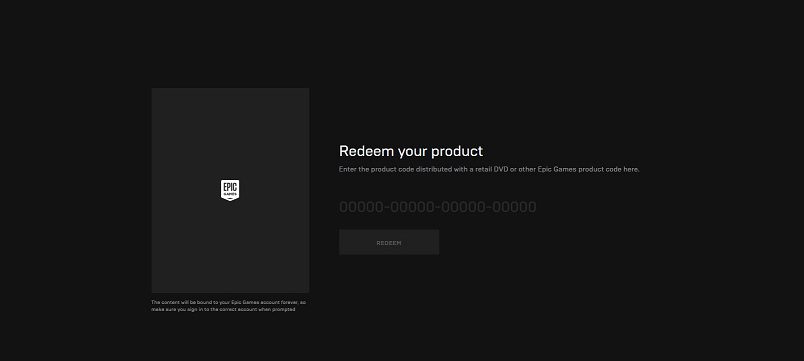
To activate your Epic Games account, Go to https://www.epicgames.com/activate and enter your code exactly (check case, dashes). Click Activate/Redeem.
Here’s how to activate or redeem Fortnite codes—whether it’s V‑Bucks, skins, console linking, or promo items:
🎮 1. Redeem via Epic Games website
-
Go to https://www.epicgames.com/activate (or https://fortnite.com/redeem for Fortnite-specific codes).
-
Sign in with your Epic Games account.
-
Enter your code exactly (check case, dashes).
-
Click Activate/Redeem.
-
Confirmation shows it succeeded—launch Fortnite and your item or V‑Bucks will be in your inventory/store.
🖥️ 2. Use the Epic Games Launcher (PC/Mac)
-
Open the Launcher and log in.
-
Click your profile icon (bottom-left).
-
Select Redeem Code, enter your code, and confirm.
-
You’ll receive a success message and content appears in your Library or Fortnite.
Also Read : How Much is Starlink a Month in USA
🎮 3. Console Linking & Activation Codes
To link a console (Xbox, PS5, Switch) account:
-
Launch Fortnite and select Link an Account—an 8-digit code appears.
-
Visit epicgames.com/activate on a browser
-
Enter the code and sign in to your Epic account
-
Confirmation appears and your console is now linked.
Reddit users confirm this method—though errors may occur if accounts were already linked which may require contacting Epic Support.
🔁 4. Platform-Specific Tips
-
PlayStation/Xbox/Switch:
-
Ensure your console is linked before redeeming codes, especially V‑Bucks cards.
-
Redeem V‑Bucks cards via browser—not directly in the console’s store.
-
-
PC:
-
Fastest and easiest method—redeem directly on website or launcher.
-
⚠️ Troubleshooting Common Errors
-
“Code Already Redeemed”: Already used by someone else or on a different account.
-
“Code Expired”: Many promo codes now expire within 7–14 days.
-
Region locked: Some codes only work in specific regions—using a VPN has been reported but could be against TOS and might risk account suspension.
“Using a VPN is bannable … redeemed the code on console and get the items”
-
Linking errors: If you get “already associated with a different account” while linking console, double-check correct account or contact support.
✅ Quick Activation Checklist
| Task | Method |
|---|---|
| V‑Bucks / Promo Code | Epic site or Launcher—be sure correct platform is linked |
| Link Console Account | Use “Link an Account” in-game → epicgames.com/activate |
| Cross-platform items | Redeem on any platform—linked items sync across all |
| 2FA requirement | Enable Two‑Factor Authentication on your Epic account before redeeming codes |
🛡️ Safety Tips
-
Only redeem codes from reputable sources—never use suspicious “generator” sites.
-
Always double-check domain (must be epicgames.com or fortnite.com).
-
Two-factor authentication increases security and is now required for most promo codes.
Be the first to comment